
Practice Snapshot for Formative
A safe Formative capture tool that saves the visible practice into a local ZIP with text, answers, images, links, screenshots, Markdown, JSON, and AI-ready index files.
Problem → Users → Impact
The Problem
Formative practices are interactive and visual, so plain copy/paste loses answers, images, links, page state, and screenshot context.
Who It Helps
Students and builders who want a local study archive of content they can already access, without API keys, OAuth, cookies, or reverse-engineered network calls.
The Impact
It turns one page or an entire visible practice into a structured archive that AI tools can read while keeping a screenshot fallback for hard-to-parse questions.
Demo Screenshots
Exporter Preview
Formative practice → structured ZIP
Preview shows capture controls plus the AI-readable archive layout.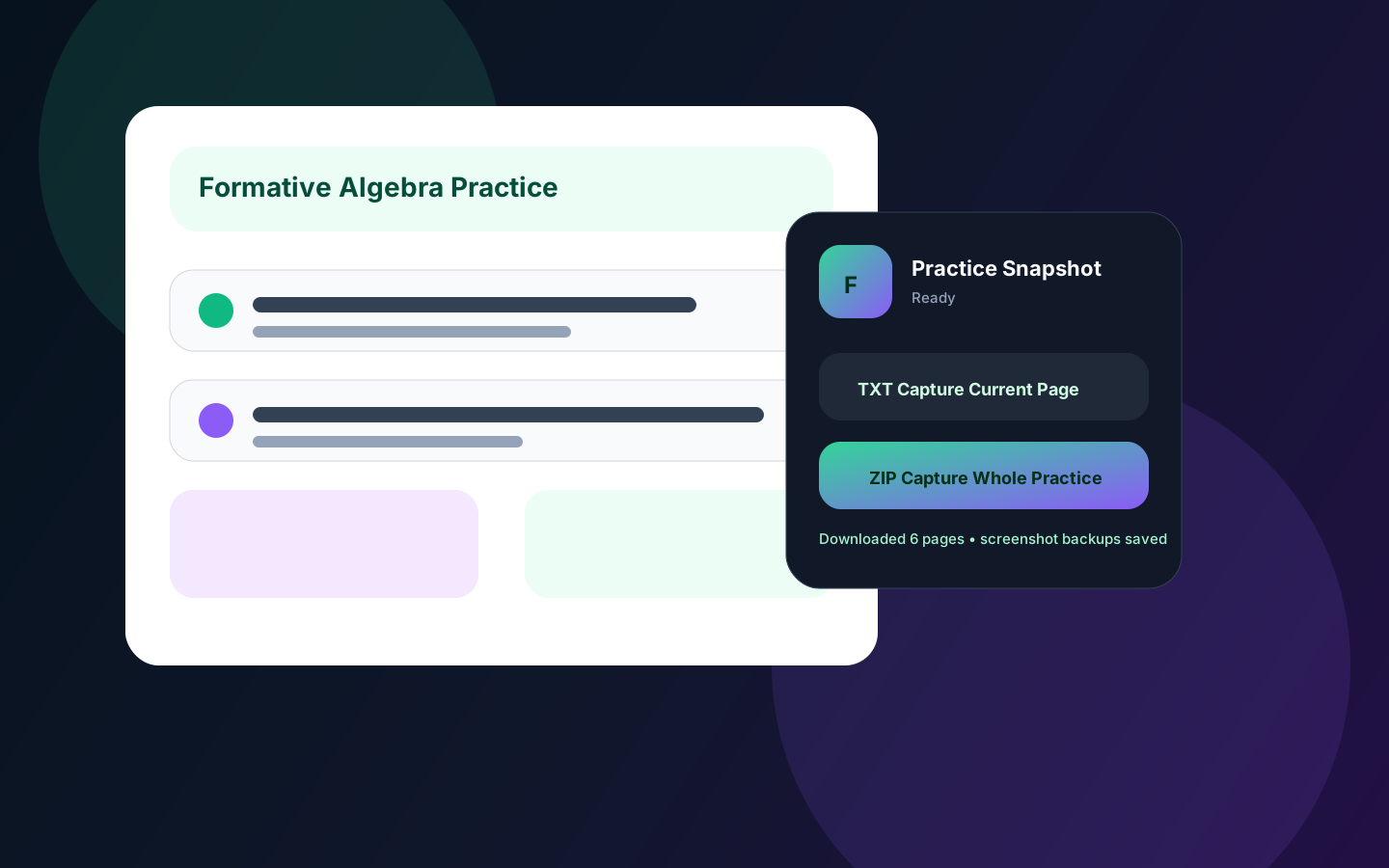
Screenshots
Architecture
Formative active tab
  → popup sends CAPTURE_CURRENT_PAGE or CAPTURE_WHOLE_PRACTICE
  → injected capture code extracts visible text, answers, links, images, math, ARIA labels
  → screenshot helper captures visual fallback
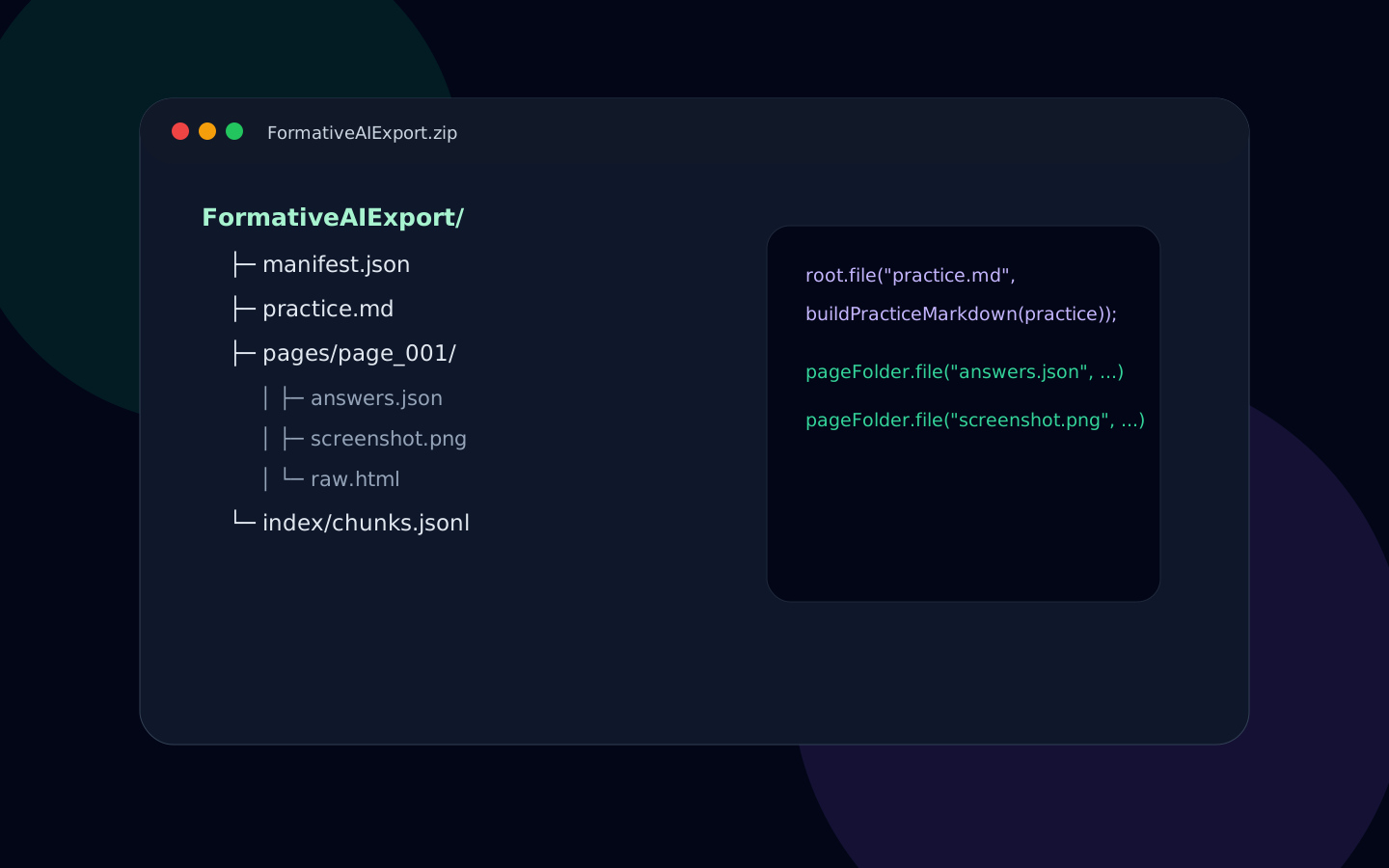
  → JSZip builds FormativeAIExport/
  → browser downloads local ZIP for AI/study workflows
Key Features
Visible Content Capture
Extracts text, headings, buttons, ARIA labels, alt text, rendered math, answers, links, and image metadata.
Screenshot Fallback
Saves a screenshot per page so graphs, drawings, drag/drop, canvas, and media-heavy questions still have context.
Tested Capture Helpers
Vitest coverage checks answer extraction, image extraction, next-button behavior, and page hashing.
Code Snippets
Page extraction
export function extractPage(doc = document) {
  const rawHtml = doc.documentElement.outerHTML;

  return {
    schema_version: SCHEMA_VERSION,
    source: "formative-ui",
    title: doc.title || "Formative Practice",
    text: extractPageText(doc),
    answers: extractAnswers(doc),
    images: extractImages(doc),
    links: extractLinks(doc),
    visual_backup: { screenshot_path: "screenshot.png" },
    raw_html: rawHtml.slice(0, 2_000_000)
  };
}
ZIP archive builder
const zip = new JSZip();
const root = zip.folder("FormativeAIExport");

root.file("manifest.json", JSON.stringify(buildArchiveManifest(practice), null, 2));
root.file("practice.json", JSON.stringify(toPracticeJson(practice), null, 2));
root.file("practice.md", buildPracticeMarkdown(practice));
pageFolder.file("answers.json", JSON.stringify(page.answers, null, 2));
pageFolder.file("screenshot.png", screenshotBase64, { base64: true });
How to Run
git clone https://github.com/charlie2233/formative-ai-exporter.git
cd formative-ai-exporter/extension
npm install
npm run typecheck
npm test -- --run
npm run build

# In Chrome:
# 1. Open chrome://extensions
# 2. Enable Developer mode
# 3. Load unpacked extension/.output/chrome-mv3
# 4. Open a Formative practice and choose Capture Current Page or Capture Whole Practice
Metrics / Results
Archive outputs
practice.md, practice.json, per-page JSON/Markdown/text, answers, image/link JSONL, raw HTML, and screenshots.
Safe boundaries
No Formative API, no Google API, no OAuth, no cookies permission, no token scraping, and no answer-changing behavior.
Release state
Version 0.1.0 Chrome zip is available for local developer testing from the public MIT repo.
Roadmap
Store release polish
Finalize privacy policy, smoke test reports, and Chrome Web Store checklist.
More question-type coverage
Improve extraction heuristics for graphs, matching, drawings, math, and embedded media.
Better archive viewer
Add a lightweight local viewer for browsing captured practice pages after download.
Credits
Built by: Atrak / Charlie Han. License: MIT. This project is independent and is not affiliated with, endorsed by, or sponsored by Formative.