
CourseBinder Classroom AI Exporter
A local-first Classroom exporter that converts visible Google Classroom pages into Markdown, JSON, HTML snapshots, and downloadable attachment queues for AI study workflows.
Problem → Users → Impact
The Problem
Classroom pages contain instructions, attachments, due dates, points, links, and Drive materials, but the page itself is not formatted for local search or AI review.
Who It Helps
Students, builders, and study workflows that need a trustworthy local copy of visible course material without scraping private tokens or using school APIs.
The Impact
It turns a messy class page into a structured archive: readable Markdown, machine-friendly JSON, raw HTML fallback, and Drive export/download targets.
Demo Screenshots
Exporter Preview
Classroom page → local AI archive
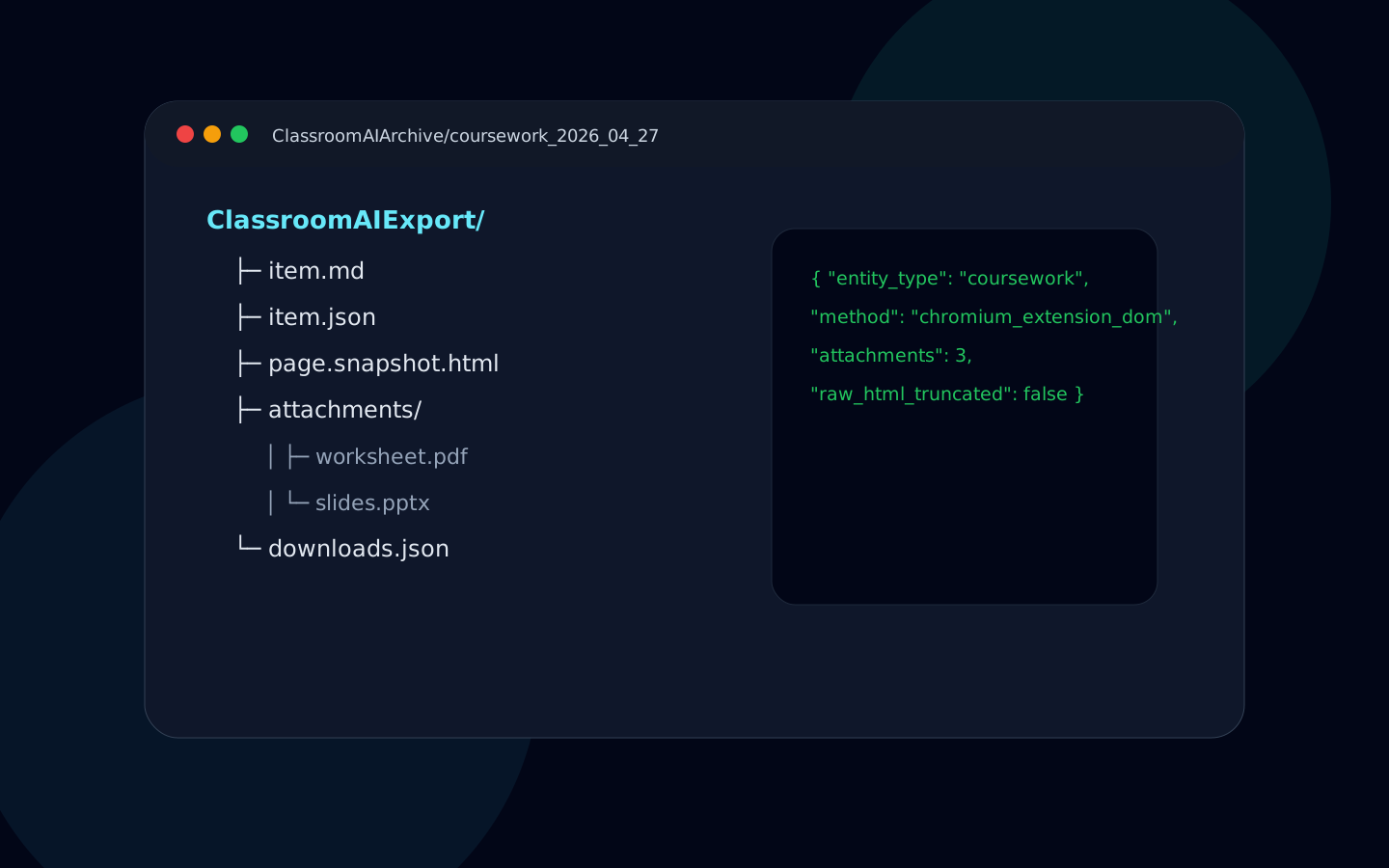
Preview shows the extension popup and generated archive output.
Screenshots
Architecture
Google Classroom tab
  → MV3 content script extracts visible DOM, links, buttons, headings
  → popup/background requests export_current
  → Drive/Docs attachment URLs are normalized
  → native messaging host writes local archive
  → browser fallback downloads archive if native host is unavailable
Key Features
Structured Snapshot
Captures title, headings, body text, links, buttons, due date hints, point values, and raw HTML fallback.
Attachment Handling
Recognizes Drive files, Docs, Sheets, Slides, folders, YouTube links, and external links with useful download/export metadata.
Privacy Boundary
Works from the active tab and local host flow instead of requiring Classroom API keys, OAuth setup, or cookie/token scraping.
Code Snippets
Chrome extension permissions
"host_permissions": [
  "https://classroom.google.com/*",
  "https://drive.google.com/*",
  "https://docs.google.com/*"
],
"permissions": ["activeTab", "downloads", "storage", "scripting", "nativeMessaging"]
Archive item schema
const item = {
  schema_version: "0.1",
  entity_type: detectClassroomType(snapshot),
  course: { name: extractCourseName(snapshot) },
  title: extractTitle(snapshot),
  attachments: normalizeClassroomAttachments(snapshot.links),
  crawler: { method: "chromium_extension_dom", confidence: 0.65 }
};
How to Run
# Download the packed extension from this page
# or build from the public MIT source:
git clone https://github.com/charlie2233/coursebinder-ai-ready-google-classroom-exporter.git
cd coursebinder-ai-ready-google-classroom-exporter/extension
npm install
npm run build

# In Chrome:
# 1. Open chrome://extensions
# 2. Enable Developer mode
# 3. Load unpacked extension/.output/chrome-mv3
# 4. Open classroom.google.com and click Export page
Metrics / Results
Output formats
Markdown, JSON, raw HTML, attachment metadata, and local folder paths.
Supported material types
Coursework, materials, announcements, questions, Drive files, Docs, Sheets, Slides, YouTube, and external links.
Release state
CourseBinder is live on the Chrome Web Store, with the version 0.1.0 ZIP still available for local developer testing from the public MIT repo.
Roadmap
Store listing support docs
Keep privacy, install, and troubleshooting docs aligned with the live Chrome Web Store listing.
Cleaner native host installer
Make local archive setup less manual for non-technical users.
Batch course export
Explore safe multi-page export while staying inside visible user-owned content boundaries.
Credits
Built by: Atrak / Charlie Han. License: MIT. This project is independent and is not affiliated with Google Classroom or Google.